Islamic Radio, Android Auto & Apple CarPlay — New in Azkar
We are excited to introduce three new features in the Azkar app: Islamic Radio, Android Auto support, and Apple CarPlay integration. Whether you are at home, at work, or on the road, Azkar now offers even more ways to stay connected to your faith throughout the day.
Islamic Radio — Live Stations from Around the World
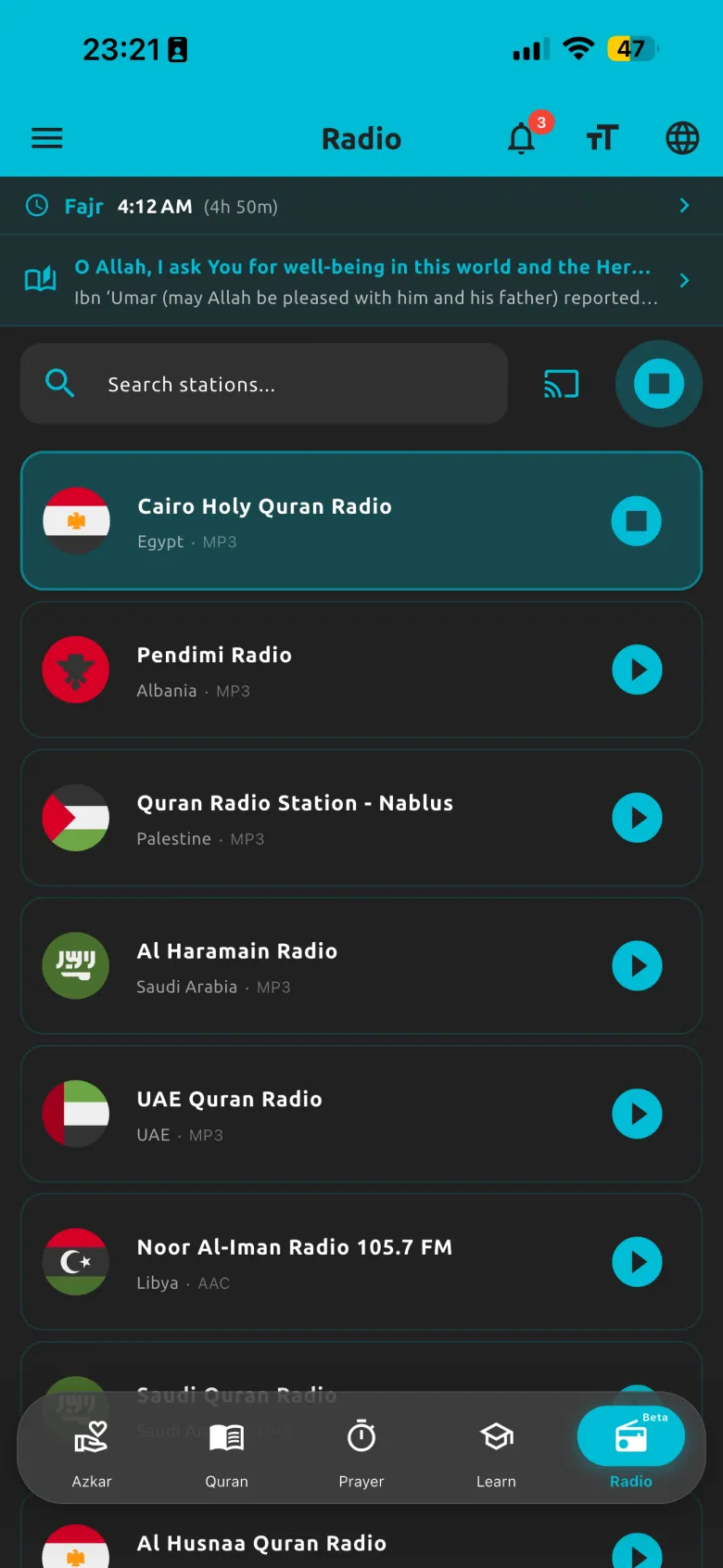
Azkar now includes a built-in Islamic radio player with live stations from around the world. You can browse stations by category — Quran recitation, Nasheeds, Islamic lectures, children's content, and more — and start listening with a single tap.
- Background playback — the radio keeps playing when you switch to other apps or lock your phone
- Lock-screen controls — play, pause, and skip without opening the app
- Report or suggest channels — help us improve the station list directly from the app
- Categorized browsing — find exactly the type of content you want to listen to
Learn more on the Islamic Radio feature page.
Android Auto & Apple CarPlay — Your Islamic Companion on the Road

Android Auto

Apple CarPlay
Azkar now works with Android Auto and Apple CarPlay, so you can listen to Quran recitation, daily Azkar, and Islamic radio while driving — all displayed safely on your car's infotainment screen.
Android Auto
If you have an Android phone and a compatible car, Azkar will appear on your car's display. Browse and play content using the car's touchscreen or voice controls without touching your phone.
Apple CarPlay
Connect your iPhone to a CarPlay-compatible vehicle and Azkar appears on the car's screen with a simplified, driving-friendly interface. Play Quran, Azkar, and radio safely.
Driving-Friendly Features
- Safe interface — large buttons and minimal text designed for quick glances
- Quran recitation — continue listening to your current Surah or start a new one
- Azkar playback — listen to morning, evening, or any Azkar category hands-free
- Islamic radio — browse and play live stations on your car display
- Steering wheel controls — play, pause, and skip using your car's built-in buttons
Learn more on the Android Auto & CarPlay feature page.
Getting Started
All three features are available in the latest version of Azkar. Simply update the app from the App Store or Google Play and you will find Islamic Radio in the main menu. Android Auto and CarPlay work automatically when you connect your phone to a compatible car.
Download Azkar for Free
Start listening to Islamic radio and take Azkar on the road today.